
Guides
1. Introduction
Discover the Vue.ai Platform and its diverse applications across industries. Vue.ai combines cutting-edge AI with robust tools to simplify workflows and optimize business outcomes.
Key Features
Data Hub
- Seamlessly integrate and unify your enterprise data.
- Centralize data management for enhanced operational efficiency.
- Effortlessly upload, register, and organize documents at scale.
- Unlock insights with robust business intelligence reporting tools.
Automation Hub
- Design advanced analytics and machine learning workflows tailored to your needs.
- Create custom nodes and automate processes for specific problem statements.
Developer Hub
- Equip data scientists and engineers with cutting-edge notebooks and MLOps solutions.
- Streamline development workflows for scalable and production-ready applications.
2. Begin Your Journey
Login Tour
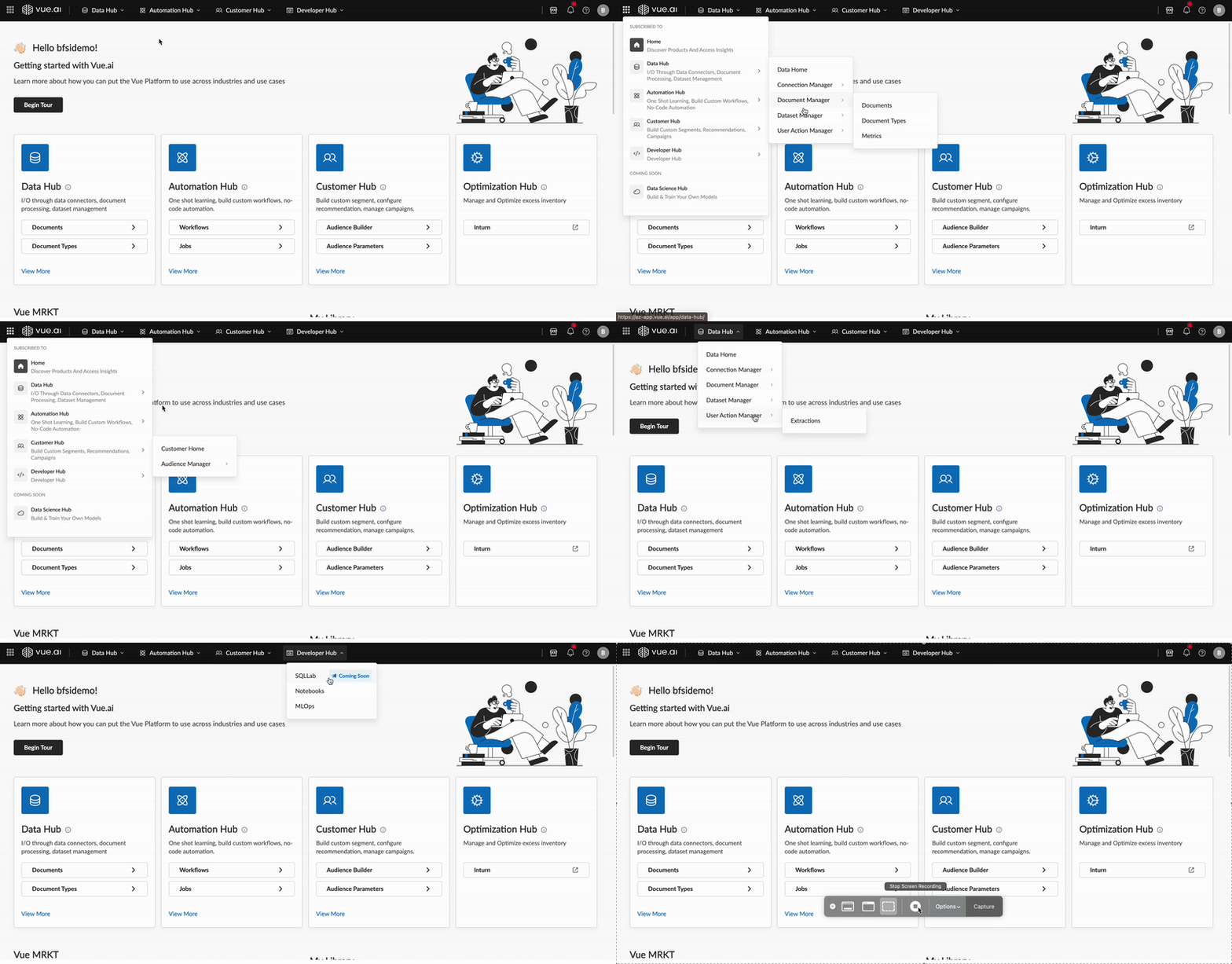
Navigate the intuitive dashboard, explore various hubs, and access managers for streamlined workflows.
3. Core Concepts
3.1 Data Hub
Purpose: Centralize and streamline data ingestion, processing, and management for seamless integration and actionable insights.
Data Connectors
- Seamlessly integrate and export data from databases, CRM systems, and ERP platforms.
- Keep your enterprise data synchronized across all connected sources.
Document Processing
- Parse and process PDFs, images, and scanned files with powerful pipelines.
- Enhance workflows with intelligent extraction that surfaces actionable data.
Dataset Management
- Upload, group, and manage datasets efficiently across teams.
- Support CSV, Delta, and other formats for logical categorization.
3.2 Automation Hub
Purpose: Streamline the design and execution of workflows with advanced automation capabilities, enabling scalable and efficient data and computational processes.
Transform Node Workflows
- Filter, transform, enrich, and aggregate data beyond traditional SQL limits.
- Handle reshaping, validation, and multi-source data integration at scale.
- Support partitioning, ranking, dynamic enrichment, and both batch and real-time execution.
Custom Code Node Workflows
- Execute tailored workflows with configurable custom code nodes.
- Leverage an integrated VS Code server for collaborative development and version control.
- Trigger Docker builds through GitHub Actions for reliable, repeatable deployments.
Compute Node Workflows
- Automate document analysis with advanced machine learning techniques.
- Perform classification, feature extraction, and embedding generation on any data type.
- Accelerate Intelligent Document Processing with scalable, managed workflows.
Spark Node Workflows
- Harness Apache Spark for high-performance batch and stream processing.
- Enable ETL, machine learning with MLlib, graph analytics with GraphX, and SQL queries in one place.
- Process structured, semi-structured, and unstructured data rapidly and reliably.
3.3 Developer Hub
Purpose: Equip developers with tools for advanced data science and machine learning operations.
Notebooks
- Develop and test machine learning models in collaborative environments.
- Share and manage Jupyter notebooks across teams and projects.
MLOps
- Register, monitor, analyze, and optimize ML models throughout their lifecycle.
- Operationalize deployments with governance and performance tracking built in.